Meet Calynta
Calynta is the name of the app and of your main Spark. Its line in the Sparks directory is "Bring it anything, any time of day." It is the Spark you talk to most, and it leads your team of other Sparks.
What to try first
Open your Space with Calynta and ask something real. For example:
- "Here's my week. Which of these can I say no to?"
- "Remember that my sister's birthday is on the 12th."
- "Any pharmacy near Piccadilly Gardens open after 9 tonight?"
- "Make a picture of a cosy reading corner, warm light."
- "Call me in ten minutes so we can plan tomorrow."
More ideas are in Try it.
Your Space with Calynta
Your conversation with Calynta is a Space: one permanent timeline. Everything you do together lands there, in order:
- messages, voice notes, photos, files and locations you send;
- Calynta's replies, including checklists, cards, places, pictures and files it makes;
- calls, each as a message that says how long you talked, with a link to the summary;
- browser sessions, boards and scheduled calls, in Calynta's own words.
You have one Space with each Spark, so you never lose the thread by starting over.
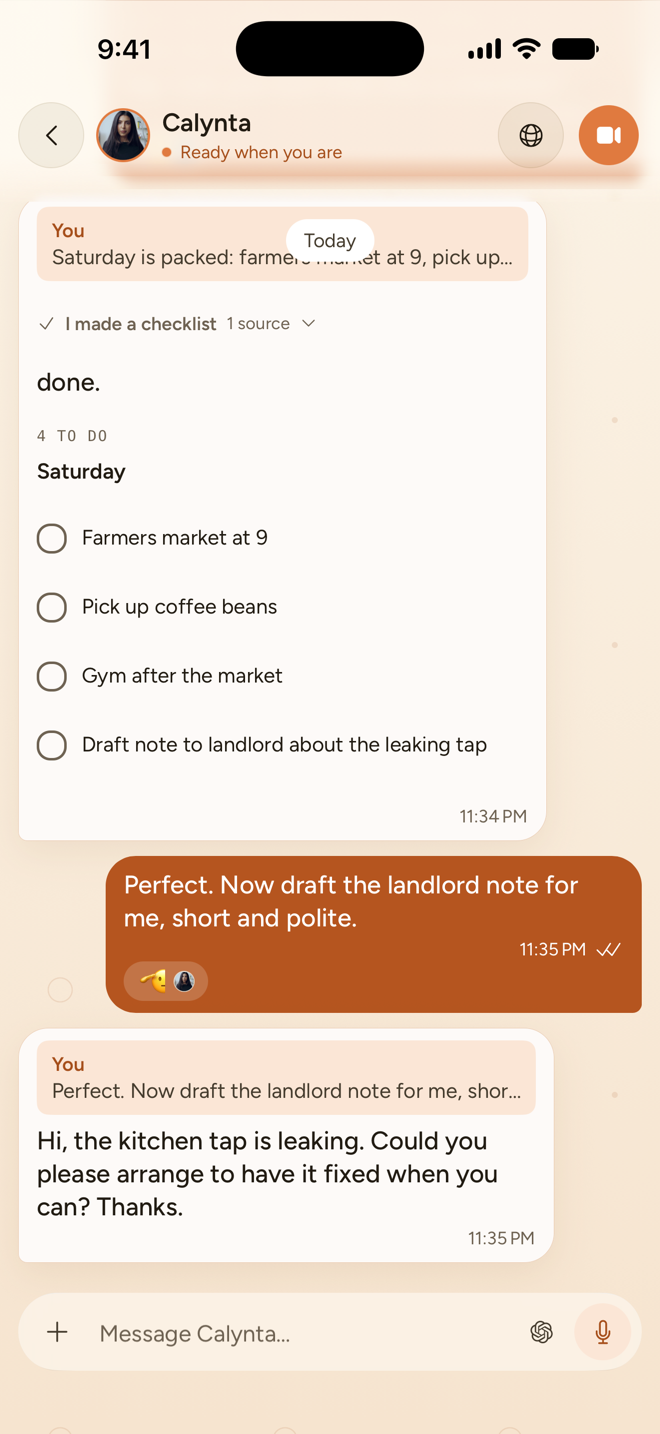
How Calynta replies
- A reaction lands on your message first, about a second after you send it. Then the reply arrives, quoting what it answers.
- If the answer is not ready, the reply bubble shows one line about what Calynta is doing, such as "searching the web…". There are no fake typing dots.
- When a reply took several steps, a small word beside the time, such as 2 steps, opens the list of what it did.
- You can keep texting while it works. A correction changes the reply it is writing. A new question gets its own reply at the same time, quoting your message.
- When Calynta asks you something, your next message is the answer.
- To stop a reply, send "stop" or "never mind". A reply that runs far too long offers Stop under it.
See Chat with a Spark for the details.