Labs
Try Calynta features before everyone else gets them. Today, Labs lets you invite other people into your groups, choose the model that answers your texts, and replay the first run.
Features in Labs work, but they can change or go away. Each one has its own switch, and every switch starts off.
Unlock Labs
Labs is hidden until you ask for it.
- Open the Profile tab and go to App updates.
- Tap App version seven times, quickly and in a row. A short message counts down the last few taps.
- When you see Labs is now in Profile, tap Open. You can also find Labs at the end of the Profile settings.
Unlocking Labs changes nothing by itself. It only shows the screen with the switches.
What is in Labs
| Feature | What it does |
|---|---|
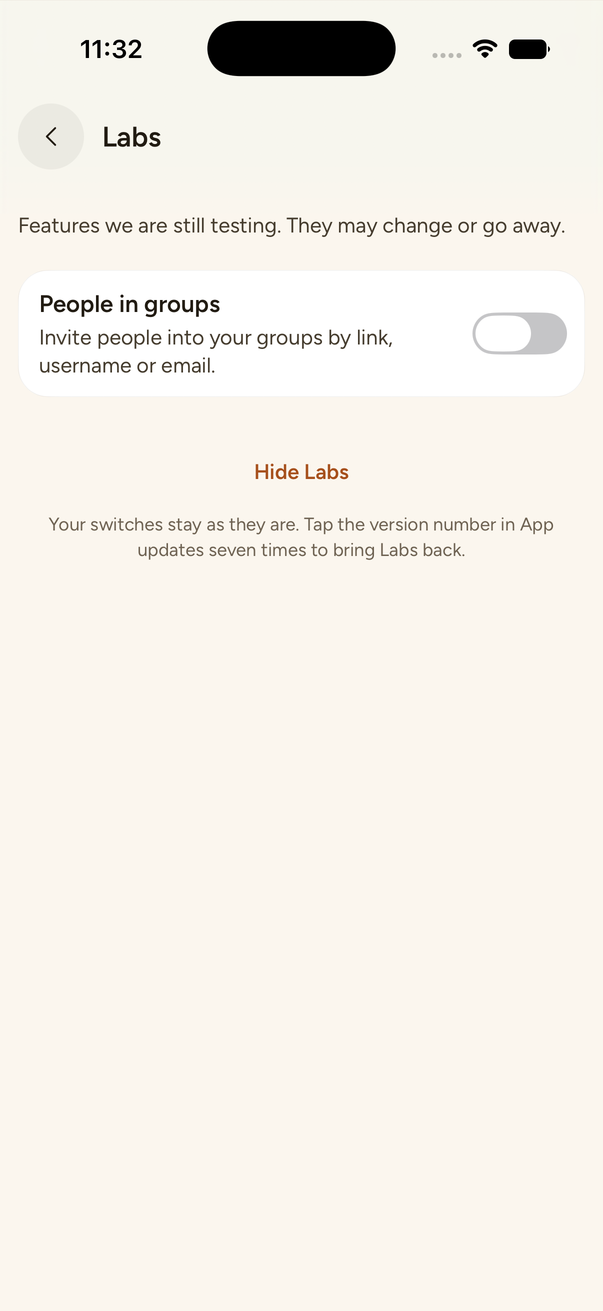
| People in groups | Invite people into your groups by link, username or email. See Bringing people in. |
| Choose the model | Adds a model button beside the message field, so you can pick the model for a Space. Off, every text uses Auto. See Choosing the model. |
Coming to Labs: Hear how I sound, which lets your Spark notice how your voice sounds. It is not switched on yet.
You do not need Labs for a group of you, your Calynta and your teammates. You also do not need it to join a group from a link someone sends you, or to answer an invite that is waiting for you.
When People in groups is on, Profile → Privacy also shows Let people add me to groups. See Privacy and permissions.
Replay onboarding
Go through the first run again on your account, from its first screen. This helps you check the journey on a new phone or after an update.
- In Profile → Labs, tap Replay onboarding.
- Tap Replay to confirm. The first screen of the journey opens.
- Go through the screens. On the last one, Calynta opens your chats again.
Your Sparks, memories, connections and plan stay. Each answer you give replaces the old one, such as how your Spark talks or how forward it is. If you used up the reads for pasting another AI's memory or the voice note the first time, they stay used up.
Hide Labs
Tap Hide Labs at the bottom of the screen. Your switches stay as they are. To bring Labs back, tap the version number seven times again.
You unlock Labs on the device where you tapped. On another phone or on the web, unlock it again. Your switches are the same on every device.